


AI agentPart of the Xicmo team
Video Agent
The AI video agent that turns a one-line request into a finished brief and a short marketing video, grounded in your own site.
Pull your site context, ask what it can't infer, freeze the brief, and render only when you confirm.
- Included in Standard and Pro
- Cancel any time
- Nothing publishes without you
Updated
- Today's run
- Say what to promoteDone
- Confirm the briefDone
- Approve the videoYour call
Ready for you
Example- Context pulled from your site and SEO dataReady to review
- Product images from your site crawlNew
- Brand voice and persona appliedQueued
- capabilities, one workspace
- 6capabilities, one workspace
- steps from sign-up to first result
- 3steps from sign-up to first result
- and Pro include it
- Standardand Pro include it
- a month on Standard
- $159a month on Standard
Step by step
How to use the Video Agent
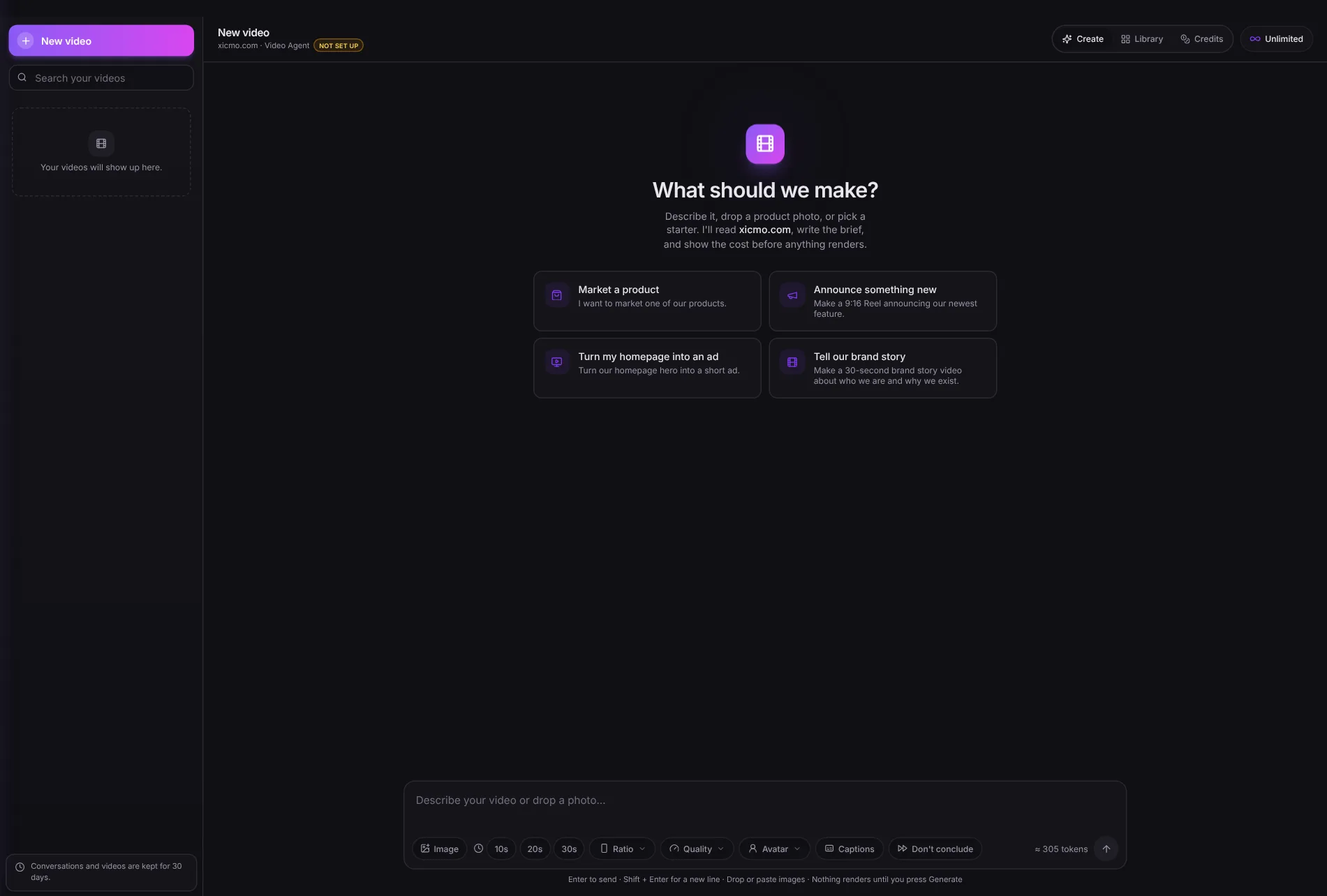
The real Video Agent page, 5 steps. Click a step, or a number on the screenshot, to see exactly where it is.
Quick answer
What is an AI video agent?
An AI video agent is software that turns a plain-language request into a short video by writing the creative brief itself, gathering the context and images it needs, and handing the brief to a video generation model.
The difference from a prompt box is who does the briefing. A generation model renders exactly what it is told and asks nothing back. The agent does the asking: it reads what Xicmo already knows about your site, then asks you only for what it could not work out, such as which product or where the video will be posted.
Before and after
What changes when you use the Video Agent?
The agent reads your site's fact sheet, positioning and brand voice before it asks you anything.
Without Xicmo
- A video tool starts from a blank prompt box and knows nothing about your product.
- You hunt through your own site for product shots to upload.
- The first render is the first time you learn what the tool understood.
- Every retry costs a render, including the ones that were misunderstandings.
- Finished files end up in a downloads folder, away from your other content.
With Xicmo
- The agent reads your site's fact sheet, positioning and brand voice before it asks you anything.
- Product images from your last site crawl are offered to animate, or you upload your own.
- You read and confirm a written brief, with its cost, before anything renders.
- Nothing is charged until a video actually finishes, and a failed render costs nothing.
- The finished video lands in the same approval queue as every other draft.
How it works
How does the Video Agent work?
In three steps: say what to promote, then confirm the brief, then approve the video.
- Step 1
Say what to promote
One line is enough. The agent pulls your site facts, product images, brand voice and recent content on its own.
- Step 2
Confirm the brief
It shows the script, the visual prompt, the format and the cost. Change anything, or confirm.
- Step 3
Approve the video
The render lands in your approval queue. Post a vertical cut as an Instagram Reel, or download it for anywhere else.
Capabilities
What can the Video Agent do?
Pull your site context, ask what it can't infer, freeze the brief, and render only when you confirm.
Context pulled from your site and SEO data
The fact sheet, tracked keywords, audit findings and competitors your other agents already gathered inform the brief.
Product images from your site crawl
Images found on your site are offered as the starting frame, so the video shows your actual product.
Brand voice and persona applied
Tone, positioning and value props from your brand profile shape the script and the on-screen copy.
Written brief before any render
Nothing generates until you confirm, and changing the brief after you see it never costs a render.
16:9, 9:16 and 1:1 formats
Landscape for YouTube and websites, vertical for Reels and Shorts, square for feeds, at draft, standard or high quality.
Instagram Reels publishing
An approved vertical video publishes as a Reel through your connected Instagram account.
Why it's different
It asks before it renders
Video generation is the expensive step, and most wasted renders come from a model guessing what you meant. The Video Agent puts the conversation first: it reads what Xicmo already knows about your business, asks a few direct questions, and shows you the finished brief and its price. Only your confirmation starts the render.
Why this channel
Short video is where attention is
Reels, Shorts and short feed videos are now the default format on most social platforms, and product videos are among the slowest assets for a small team to produce. A brief grounded in your own site is the part that usually takes longest, and it is the part this agent does for you.
Pricing
How much does the Video Agent cost?
The Video Agent is included from the Standard plan at $159 a month, which comes with 2,000 credits, and in every plan above it. Credits meter real AI usage rather than seats and refresh monthly. It is not part of the free trial or the day pass, because every render costs real compute; you can cancel any paid plan in one click.
FAQ
Video Agent FAQs
The questions people ask before they switch the Video Agent on. Anything else, ask a founder.
When am I charged for a video?
Only when a video finishes rendering. Videos are paid with video tokens, separate from your plan credits: every paid plan starts with free tokens, and you can add more any time. Tokens are held when you press Generate and charged once, when the video finishes; a failed render gives them back. The conversation itself uses a few plan credits for the AI's reading and writing.
Which images can it animate?
An image you upload or drop into the chat, a product photo or other image found on your site by the last Site Audit, or the last frame of a video you made (to continue it). The agent tells you which one it used.
Which video model renders it?
Xicmo's own video generation model. The agent writes the brief, the model renders it in 480p, 720p or 1080p, and longer videos are built scene by scene and joined into one file.
Does it publish or send anything without my approval?
Not unless you tell it to. Every agent drafts into a queue and stops there: you read it, edit it, and press publish, or you don't, and nothing leaves. The one exception is opt-in: a Content Writer drip schedule can publish each finished blog to a CMS you connected, and only if you choose that when you set the schedule up.
Do I need any technical setup?
Add your website URL and the agents start working. Connecting Search Console or Analytics makes the SEO and GEO agents considerably sharper, and both are OAuth — no keys to paste, no DNS records, no code on your site.
Is there a free trial?
Yes. Every signup gets 48 hours with every agent except the Video Agent, 600 credits to spend and up to 3 websites, with no card required. After that a $5 day pass opens the same agents for another 24 hours, or a monthly plan keeps them running. Credits meter actual AI usage rather than seats.
Can I cancel anytime?
Yes. Plans are monthly and cancel from billing in one click, with no contract or notice period, and you keep your plan until the month you paid for ends. Drafts you have already generated stay in your workspace.
Works with
Which agents work well with the Video Agent?
Every Xicmo agent shares one workspace, one voice profile and one approval queue, so these run alongside the Video Agent without extra setup.
- Backlink MarketplaceThe backlink marketplace where every placement is vetted, niche-matched, and tracked from order to live link.Learn more
- SEO AgentThe AI SEO agent that runs the whole loop — from crawling your site to telling you which fix moves which keyword.Learn more
- Instagram Creator OutreachThe Instagram influencer agent that finds creators from a seed account and takes them through to a personalised DM.Learn more
48-hour free trial
Sign up today and run your whole marketing team free for 48 hours
- 600 credits to spend, no card needed
- Every agent: SEO, GEO, content, Reddit, X, email and more
- Up to 3 websites, the same as a Lite plan
- The Video Agent needs a subscription
The 48 hours start the moment you sign up.
The Video Agent opens with a subscription; the trial covers every other agent. See all agents