


Best SEO Reporting Software for 2027: 6 Options
SEO reporting software is a tool that pulls your search data into one readable report, usually from Google Search Console and GA4. For founders and small teams with no in-house marketer, the best choice connects those sources directly, explains what changed, and keeps you in control of every recommendation. This list ranks six options by data connections, report clarity, approval control and fit for lean teams. Each item covers what it does best and where it falls short.
Key takeaways
- SEO reporting software turns Search Console and GA4 data into a report you can act on.
- The best tool for a founder connects real data sources instead of relying on exports.
- Approval control matters: review every summary and recommendation before it reaches clients or your site.
- A white label SEO report saves agencies hours but needs editable summaries.
- Local SEO consultants suit location-based businesses, not most online-only SaaS teams.
How do these options compare?
| # | Option | Best for | Standout |
|---|---|---|---|
| 1 | Xicmo | Founders and lean teams wanting reporting plus execution in one place | Reporting ties to content, outreach and approvals in one workspace |
| 2 | Semrush | Agencies and marketers who need deep keyword and audit data | Large keyword database with branded report templates |
| 3 | AgencyAnalytics | Agencies sending regular white label reports to several clients | Dashboards that combine SEO with paid and social channels |
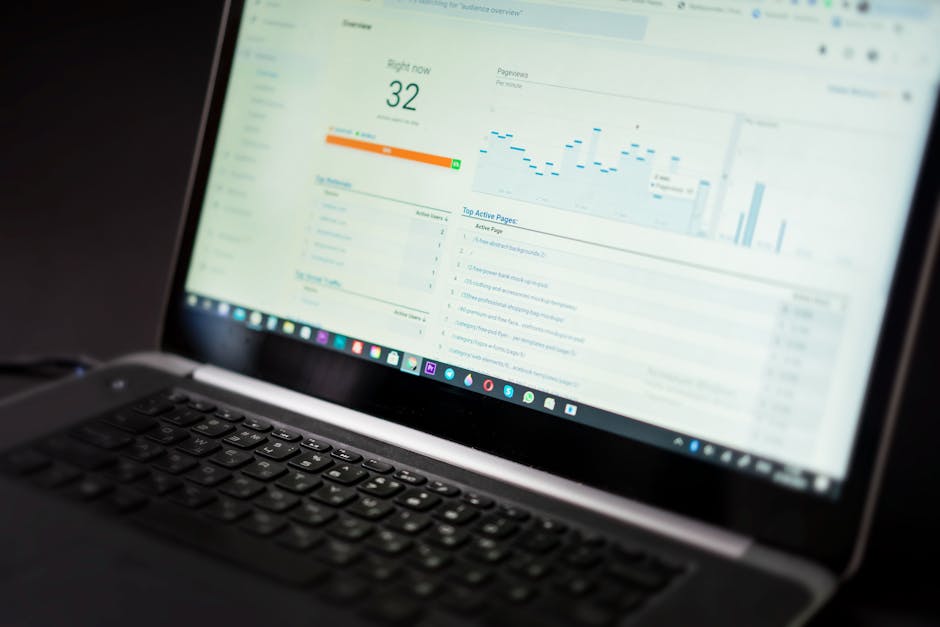
| 4 | Google Looker Studio | Technical founders who want free, customisable dashboards | Free direct connection to Search Console and GA4 |
| 5 | Ahrefs | SEO-literate marketers focused on backlink and rank data | Large backlink index with rank tracking over time |
| 6 | Moz Pro | Small businesses that want a simpler SEO toolset | Simple interface with clear crawl and ranking reports |
1. Xicmo

Xicmo is an AI growth platform for founders and small teams that reports on SEO and ties the results to content, outreach and technical fixes.
Xicmo connects to Google Search Console, GA4 and GitHub, so reporting reflects real search data and the work your team ships. Its agents track keywords, flag pages that lost clicks, and draft the next actions. Nothing is published without your approval, so you review the summary and the proposed changes before anything goes live. One workspace replaces several dashboards.
Best for: Founders and lean teams wanting reporting plus execution in one place
Pros
- Connects to real Search Console and GA4 data, not exports
- Approval step before any change or publication
Cons
- Broader scope than a pure reporting tool, so the report is one part of a larger platform
2. Semrush
Semrush is an SEO suite for marketers and agencies that provides keyword research, site audits and white label reporting.
Semrush offers a deep keyword database and a site audit that crawls your pages for technical issues. Its reporting module lets you build branded reports from templates and schedule them by email. Agencies use it to send monthly reports to clients. The large feature set means a steeper learning curve for a founder working alone.
Best for: Agencies and marketers who need deep keyword and audit data
Pros
- Strong keyword research and competitor data
- Scheduled white label reports for clients
Cons
- Many features can overwhelm a founder without SEO experience
3. AgencyAnalytics

AgencyAnalytics is a client reporting platform for agencies that combines data from many marketing channels into dashboards.
AgencyAnalytics pulls data from Search Console, GA4, ad platforms and social accounts into one dashboard. Its white label reports carry your logo and colours, and you can schedule delivery to clients. It focuses on reporting rather than producing content or outreach. Agencies with a steady client base get the most value from its templates.
Best for: Agencies sending regular white label reports to several clients
Pros
- White label reports with scheduled delivery
- Connects many channels into one view
Cons
- Pricing scales with the number of client accounts
4. Google Looker Studio

Google Looker Studio is a free dashboard tool that builds custom reports from Search Console, GA4 and other data sources.
Looker Studio is free and connects directly to Search Console and GA4. You build a dashboard by dragging fields onto a canvas and sharing a link with stakeholders. It gives full control over layout, but it does not write summaries or flag changes for you. Expect a few hours of setup for your first report, then reuse the template each month.
Best for: Technical founders who want free, customisable dashboards
Pros
- Free to use with native Google data connectors
- Fully customisable layout and sharing by link
Cons
- No automatic summaries, so you write the commentary yourself
5. Ahrefs

Ahrefs is a backlink and SEO research tool for marketers that offers rank tracking and site audits with reporting.
Ahrefs is known for its backlink index and keyword explorer. Its rank tracker monitors keyword positions over time, and its site audit lists technical issues by severity. Reports are mostly dashboards you export yourself. It suits people who already know which metrics they want to watch and care about link data.
Best for: SEO-literate marketers focused on backlink and rank data
Pros
- Strong backlink data and competitor analysis
- Rank tracking with clear historical charts
Cons
- Reporting is less polished for sending to clients without extra work
6. Moz Pro

Moz Pro is an SEO toolset for small businesses and agencies that tracks rankings and audits sites with simple reports.
Moz Pro offers keyword tracking, a site crawler and a domain authority metric. Its interface is simpler than some larger suites, which helps newcomers. Reports cover rankings and crawl issues in clear sections. It has fewer integrations than the larger platforms, so check that your data sources connect before you commit.
Best for: Small businesses that want a simpler SEO toolset
Pros
- Easier interface for newcomers to SEO
- Clear crawl and ranking reports
Cons
- Fewer data integrations than larger suites
How do you choose the right SEO reporting software?
Start with the data sources. The tool should connect directly to Google Search Console and GA4, because exported CSV files go stale fast. Next, check whether it explains changes in plain language, such as which pages lost clicks and why. Look at white label options if you send reports to clients, and confirm you can edit the summary before it leaves your account. Finally, test the price against the hours it saves. A tool that cuts one hour of reporting each week usually pays for itself in the first month for a founder whose time is worth more than that.
Conclusion
Pick SEO reporting software that pulls your real Search Console and GA4 data, gives you a clean report you can send without rework, and keeps a human approval step before anything changes on your site. For founders and small teams, that combination matters more than a long feature list. Xicmo is a strong fit if you want reporting tied to the rest of your marketing work, so the report reflects content, outreach and technical fixes together. Start by connecting your Search Console property and GA4 account to one tool, run a report for last month, and compare it with the numbers you already trust. If the figures match and the summary is easy to read, you have your answer.
Frequently asked questions
Book a free
15-minute call
We will open Xicmo on your own site, show you where you are losing search and AI visibility, and leave you with the fixes whether or not you sign up.
Book a callPrefer email? hello@xicmo.com