



Free 48h600 credits, no card

Buyer's Guide

Top 11 AI Blog Writers That Publish to WordPress (2026)

The 11 best AI blog writers that publish straight to WordPress, compared on how they connect, draft vs live publishing, bulk scheduling and real pricing.

By The Xicmo Team · Updated

The question this guide answers

“Which AI blog writer publish to WordPress would you recommend?”

How do you pick an AI blog writer for WordPress?

Check three things: how it connects (a plugin, or the REST API with an Application Password), whether it can publish as drafts so you can review in wp-admin, and whether it schedules or drip-publishes in bulk. Then judge the writing on five test posts.

Application Passwords are built into WordPress and let a tool post through the REST API without your real password or an extra plugin. In-editor tools like Rank Math's Content AI are a different approach: you write inside WordPress with AI help, one post at a time.

How to connect an AI writer to WordPress safely

  1. 1

    Create an Application Password

    In wp-admin go to Users → Profile → Application Passwords, name it after the tool, and copy the generated password. It's separate from your login and can be revoked any time.

  2. 2

    Connect in draft mode first

    Let posts arrive as drafts. Check formatting, links, images and facts in the WordPress editor before publishing.

    Connecting WordPress with an Application Password in Xicmo
    Xicmo demo workspace for flipkart.com with illustrative sample drafts. Flipkart is not a Xicmo customer.
  3. 3

    Switch on scheduling once you trust the output

    Drip a few posts a week, link them from existing posts, and keep reviewing a sample.

AI blog writers that publish to WordPress, compared

Prices checked on vendor pages on 2026-11-08 where shown.

FeatureXicmo logoXicmoOkara logoOkaraKoala AI logoKoala AISEOWriting.ai logoSEOWriting.aiByword logoBywordRank Math logoRank MathSurfer logoSurferWritesonic logoWritesonicJasper logoJasperOutrank logoOutrankRankSpot logoRankSpot
Best forAudited draftsMany CMSsAffiliate autoblogsQuick pipelineProgrammatic pagesIn-editor AIOptimising postsWriting + GEOBrand teamsHands-offSmall teams, pay as you go
WordPress connectionREST + App PasswordIntegrationOne-clickAuto-postIntegrationPluginIntegrationCheck trialLimitedUnverifiedDirect publish
Publish as draftStrongNot specifiedStrongPartialPartialIn editorPartialPartialLimitedPartialDraft or live
Bulk + drip schedulingStrongStrongStrongStrongStrongNot supportedLimitedPartialLimitedStrongNot specified
Starting price$159/mo (all agents)$249/mo (Pro)$25/moUnverified$83/mo (annual)Free / $27.99/moUnverified$79/mo (annual)$69/seat/moUnverified$3/article (no subscription)

Scroll the table sideways to see every tool →

Xicmo logo

1. Xicmo

Writes, audits and publishes to WordPress with an Application Password.

Our pick

Xicmo connects to any self-hosted WordPress site through the REST API with a WordPress Application Password: no plugin, and never your login password. Choose whether posts arrive as drafts for a final check in wp-admin, or go live immediately.

On publish it creates the post with your title, slug, HTML content and excerpt, with the hero image embedded at the top. Posts can be published one at a time from the draft page, scheduled for a set time, or drip-published from a bulk campaign. Webflow, Wix, Framer, Shopify and a signed webhook are supported too.
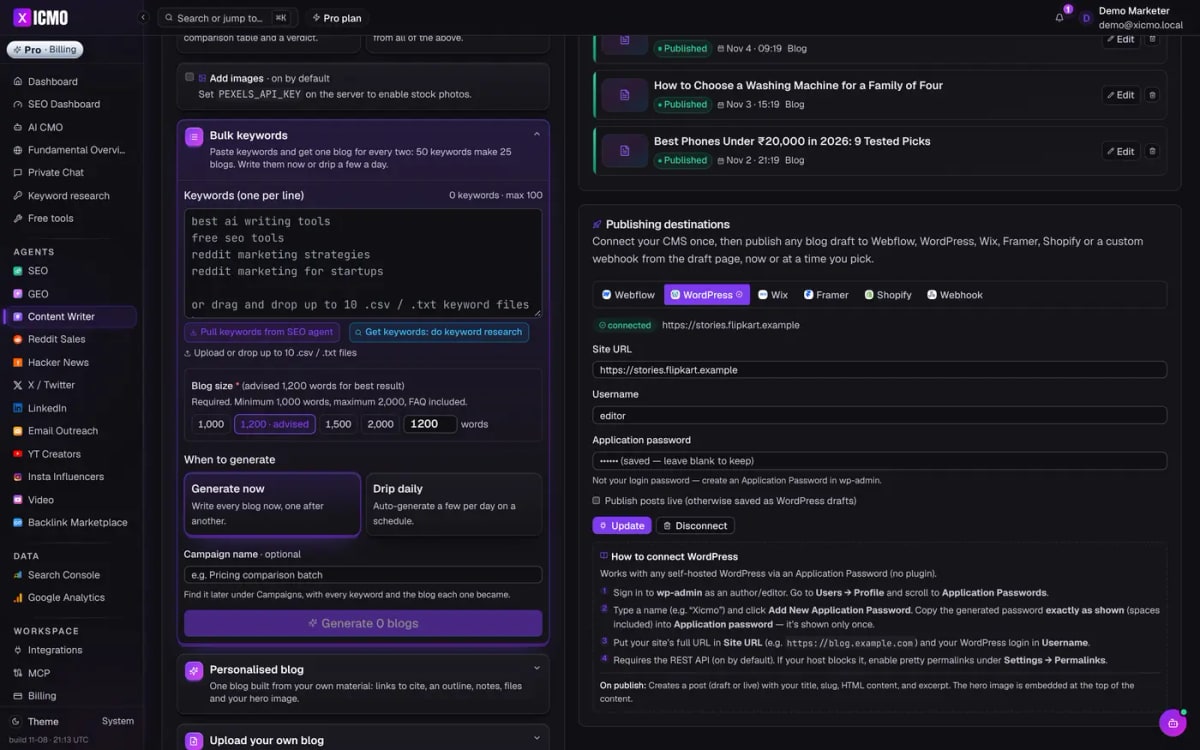
Xicmo WordPress publishing settings: site URL, username and application password, connected
Source: Xicmo

Features

  • WordPress REST + Application Password (no plugin)
  • Draft or publish-live mode
  • Title, slug, HTML, excerpt and hero image
  • Schedule or drip from bulk campaigns
  • FAQ schema and 100-point audit per post
  • Also Webflow, Wix, Framer, Shopify, webhook

Pros

  • No plugin to install or update
  • Safe default: publish as WordPress drafts
  • Bulk + drip + audit in one flow
  • Works with any self-hosted WordPress

Cons

  • Needs the WordPress REST API reachable
  • Doesn't set Yoast/Rank Math fields directly
  • Categories and tags managed in WordPress
  • WordPress.com free plans may not allow Application Passwords
Pricing
Lite $49/mo (500 credits: SEO + GEO agents, AI CMO). Standard $159/mo unlocks every agent. Pro $199/mo. $5 day pass. 48-hour free trial with 600 credits, no card. xicmo.com/pricing (checked 2026-11-08)
Best for
WordPress sites that want AI posts arriving as reviewable drafts

What it produced

WordPress connected and a drip campaign running, on a demo workspace
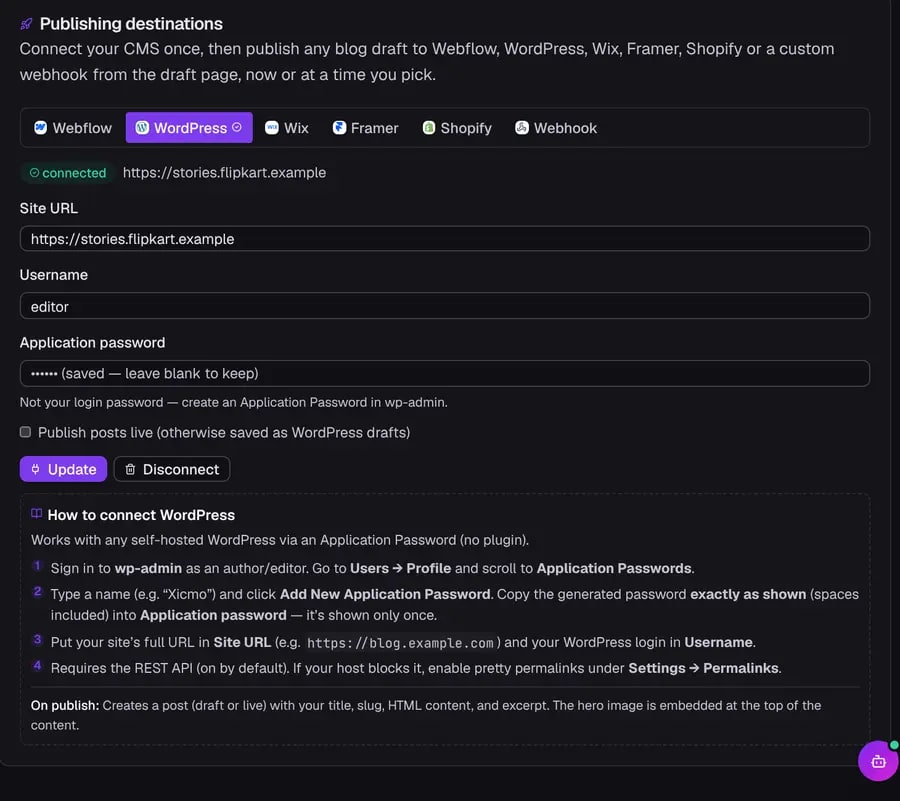
Xicmo WordPress connection panel
Xicmo demo workspace for flipkart.com with illustrative sample drafts. Flipkart is not a Xicmo customer.

Best for safe, audited AI publishing to WordPress.
Okara logo

2. Okara

AI writer that auto-publishes to WordPress and six other CMSs.

Okara's AI Content Writer agent (Pro plan) drafts strategy-led articles, at least 30 a month, with scheduling and auto-publishing to GitHub, Sanity, WordPress, Webflow, Framer, Wix and HubSpot.

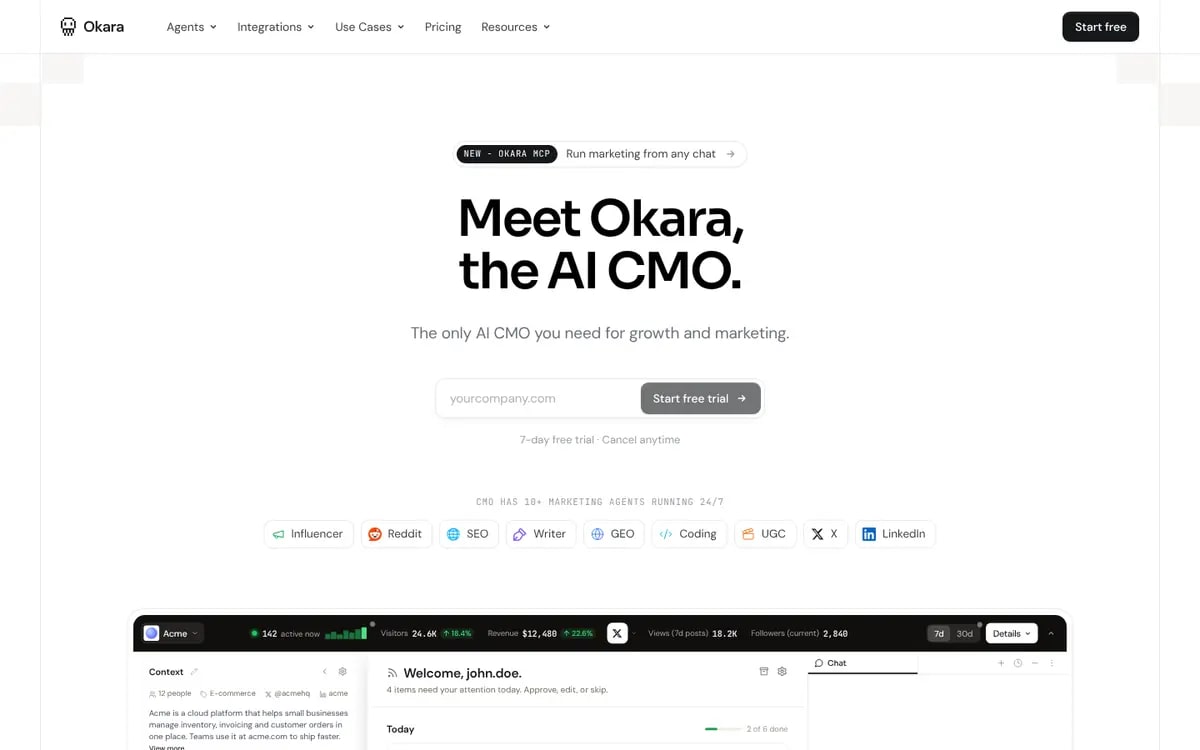
Okara homepage: Meet Okara, the AI CMO
Source: Okara

Features

  • 30+ articles/month (Pro)
  • Auto-publishing to 7 CMSs
  • Strategy-led drafts
  • Monthly content strategy

Pros

  • Widest CMS list here
  • Strategy built in

Cons

  • Writer needs the $249/mo Pro plan
  • Article minimums rather than bulk batches
Pricing
AI CMO Lite $129/mo ($108/mo billed annually), AI CMO Pro $249/mo ($208/mo annually), Enterprise custom. 7-day free trial. okara.ai/pricing (checked 2026-11-08)
Best for
Teams wanting a monthly content engine

Best CMS coverage.

Koala AI logo

3. Koala AI

One-click WordPress publishing for bulk articles.

Koala AI writes SEO articles in a bulk writing mode, with live Amazon data for affiliate posts, a content-calendar autopilot, brand voice (Brand DNA) and one-click publishing to WordPress, Shopify, Webflow and Ghost, plus webhooks.

Koala AI homepage
Source: Koala AI

Features

  • Bulk writing mode
  • Content calendar autopilot
  • Amazon data for affiliate articles
  • WordPress, Shopify, Webflow, Ghost
  • MCP server

Pros

  • From $25/mo
  • Strong for affiliate sites
  • Many CMS integrations

Cons

  • Credit-based limits
  • Output still needs editing
Pricing
Free one-time allowance. Starter $25/mo, Professional $49/mo, Boost $99/mo, Growth $179/mo; 20% off annually. koala.sh/pricing (checked 2026-11-08)
Best for
Affiliate and niche-site publishers

Best value WordPress autoblogger.

SEOWriting.ai logo

4. SEOWriting.ai

Bulk articles with WordPress auto-posting.

SEOWriting.ai generates SEO articles and bulk batches with images and auto-posting to WordPress. Its prices weren't shown to us, so check the site.

SEOWriting.ai homepage

Features

  • Bulk articles
  • WordPress auto-posting
  • Images

Pros

  • Simple bulk workflow

Cons

  • Pricing unverified here
  • Quality varies by topic
Pricing
Prices weren't shown to us on its site (unverified). Free trial articles available.
Best for
Quick WordPress publishing

Simple WordPress pipeline.

Byword logo

5. Byword

Programmatic content published to WordPress.

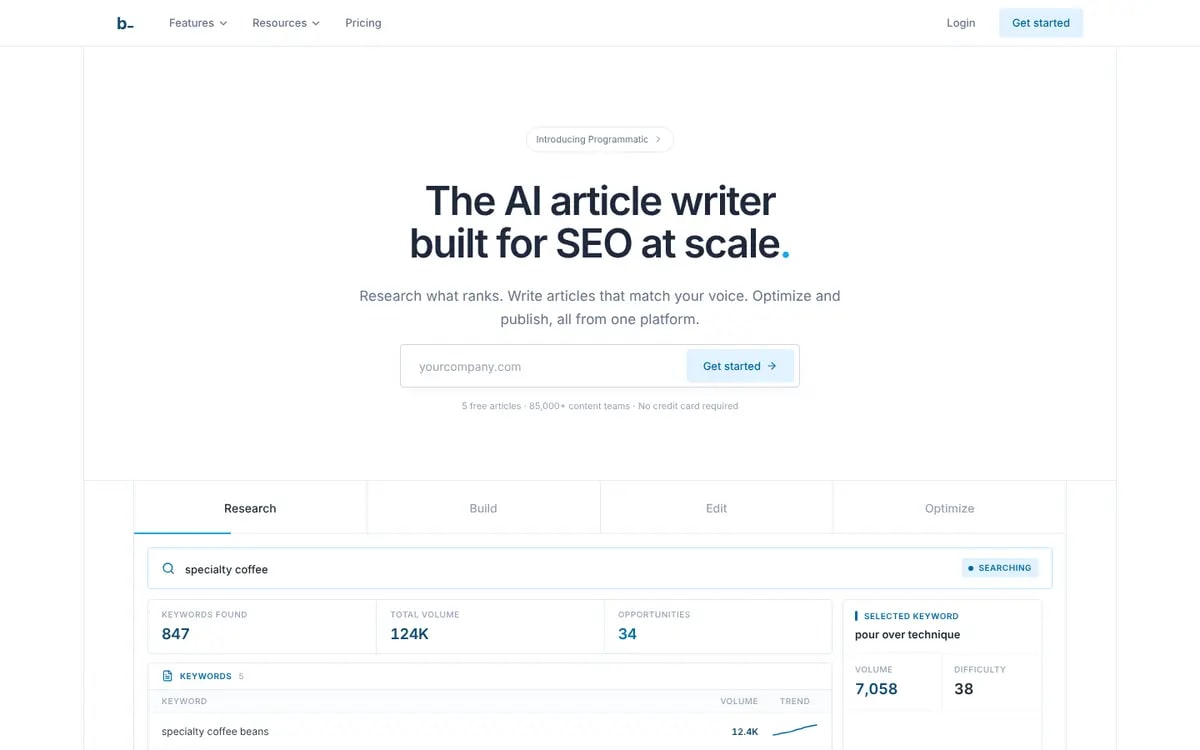
Byword generates articles and programmatic pages in bulk with research, optimisation and voice matching, in 47 languages, and publishes to WordPress and Webflow (Ghost, HubSpot and Medium on higher plans).

Byword homepage
Source: Byword

Features

  • Programmatic SEO templates
  • Voice matching
  • 47 languages
  • WordPress & Webflow
  • API

Pros

  • Per-article cost under $3.50
  • pSEO templates
  • Multilingual

Cons

  • Starter is $83/mo for 25 articles
  • Some integrations on higher plans
Pricing
Starter $83/mo (25 articles), Standard $249/mo (80 articles), Scale $833/mo (300 articles), as shown with annual savings. byword.ai/pricing (checked 2026-11-08)
Best for
Programmatic and multilingual SEO

Best for templated WordPress pages.

Rank Math logo

6. Rank Math

The WordPress SEO plugin with Content AI.

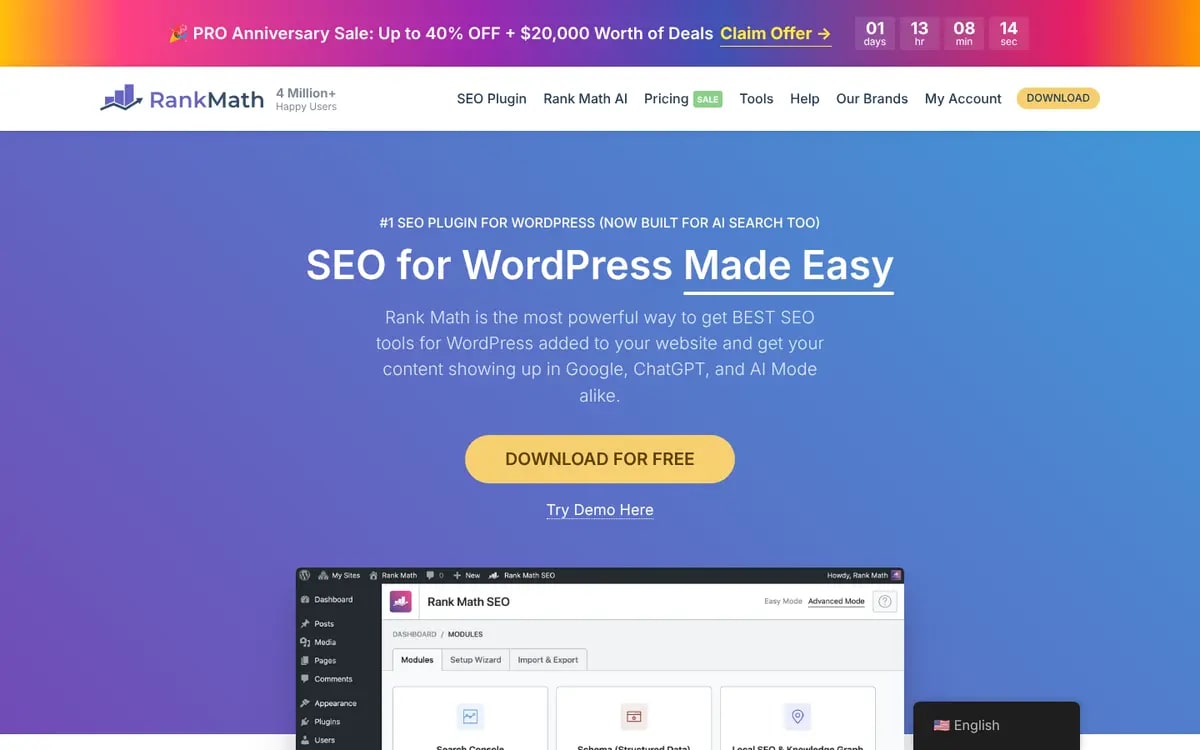
Rank Math is a WordPress SEO plugin (free, with PRO from $27.99/mo billed annually) whose Content AI helps write and optimise posts inside the WordPress editor.

Rank Math homepage
Source: Rank Math

Features

  • WordPress SEO plugin
  • Content AI in the editor
  • Schema
  • Sitemaps

Pros

  • Lives in WordPress
  • Free core plugin

Cons

  • WordPress only
  • Content AI is credit-based
Pricing
Free plugin; PRO $27.99/mo regular price billed annually (on sale at $17.59 when checked). rankmath.com/pricing (checked 2026-11-08)
Best for
WordPress sites writing in-editor

Best if you want AI inside the WordPress editor.

Surfer logo

7. Surfer

Optimise posts with a WordPress integration.

Surfer drafts AI articles and scores them against top-ranking pages, with a WordPress integration and content audits. Pricing wasn't verified on its site for this guide.

Surfer homepage

Features

  • Content Editor
  • AI articles
  • WordPress integration
  • Content audit

Pros

  • Excellent on-page guidance

Cons

  • Pricing unverified here
  • Bulk is not its focus
Pricing
Not verified on Surfer's site for this guide. Third-party listings report Essential $99/mo ($79 annually) and Scale $219/mo.
Best for
Optimising each article

Best for optimising WordPress posts.

Writesonic logo

8. Writesonic

AI writer plus AI search visibility.

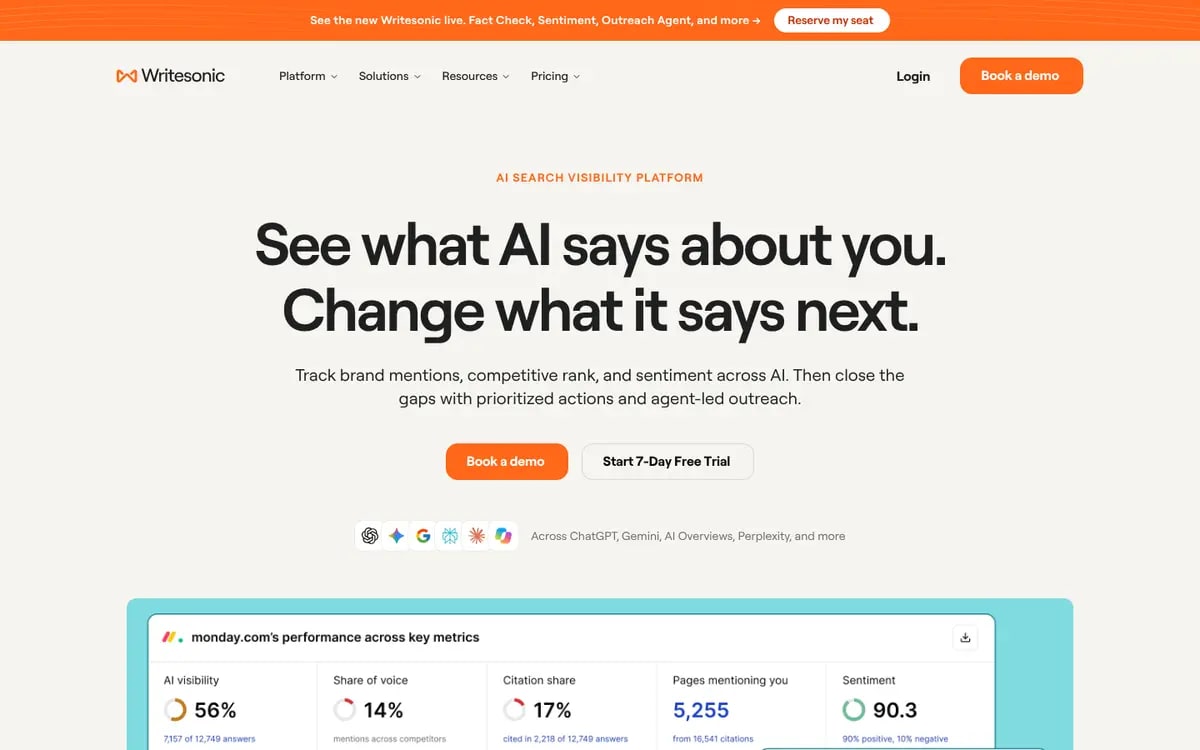
Writesonic combines AI articles and brand voices with site audits and AI visibility tracking, with plans from $79/mo billed annually.

Writesonic homepage: See what AI says about you
Source: Writesonic

Features

  • AI articles
  • Brand voices
  • Site audit
  • AI visibility

Pros

  • Writing + GEO
  • Free trial

Cons

  • Annual-billing prices
  • Article limits by plan
Pricing
Billed annually: Starter $79/mo, Basic $199/mo, Growth $399/mo, Enterprise custom. 7-day free trial. writesonic.com/pricing (checked 2026-11-08)
Best for
Content teams caring about AI search

Good writer; check its WordPress workflow in the trial.

Jasper logo

9. Jasper

Enterprise AI content platform for marketing teams.

Jasper is built for marketing teams producing on-brand content at scale: brand voices, knowledge assets, marketing agents and Jasper Grid for systematic content execution. Pro is $69/seat/mo.

Jasper homepage

Features

  • Brand Voice + knowledge
  • Marketing agents
  • Jasper Grid (Business)
  • Many content formats

Pros

  • Strong brand controls
  • Team workflows

Cons

  • Per-seat pricing
  • SEO publishing isn't its focus
Pricing
Pro $69 per seat/mo ($59 annually), Business custom. 7-day free trial. jasper.ai/pricing (checked 2026-11-08)
Best for
Marketing teams needing on-brand content

Great writing, but WordPress publishing isn't its focus.

Outrank logo

10. Outrank

Automated daily SEO articles.

Outrank publishes SEO articles automatically on a schedule. Its site wasn't reachable from our test browser, so pricing and limits are unverified.

Outrank homepage

Features

  • Scheduled article publishing
  • Keyword targeting

Pros

  • Hands-off

Cons

  • Unverified pricing and integrations
Pricing
Pricing not verified (site unreachable from our test browser).
Best for
Fully hands-off blogs

Check the details yourself.

RankSpot logo

11. RankSpot

Writes articles for your keyword and AI-prompt gaps and publishes them to WordPress.

RankSpot finds the keywords and AI prompts where your site is missing, then writes full articles to fill those gaps and publishes them straight to WordPress. Articles come with headings, tables, images and internal links, and you can review and edit them manually or with AI before they go live. It also tracks how ChatGPT, Perplexity, Gemini and Google AI Overviews mention your brand, so you can see which posts start getting cited.

WordPress connection: connects to WordPress and publishes as drafts or live posts. It also works with Webflow and other CMSs.

RankSpot homepage

Features

  • Keyword and AI-prompt gap research
  • Full articles with headings, tables, images and internal links
  • Review and edit manually or with AI before publishing
  • Publishes to WordPress as drafts or live posts
  • Also Webflow and other CMSs
  • AI visibility tracking: ChatGPT, Perplexity, Gemini, Google AI Overviews

Pros

  • Picks topics based on keyword and AI-prompt gaps, not just what you type in
  • Publishes directly to WordPress
  • AI visibility tracking included
  • No monthly subscription

Cons

  • Newer tool with a smaller template library than Jasper or Writesonic
  • Best suited to SEO blog content, not ad copy or social posts
Pricing
Pay as you go, no subscription. $3 per article, $1 free credit to start, top-ups from $10.
Best for
Small teams that want SEO and AI-search content researched, written and published to WordPress without hiring a content team.

Best pay-as-you-go option for gap-driven WordPress articles.

Must-have features for WordPress publishing

1. Secure connection

  • Application Password or official plugin
  • Easy to revoke

2. Draft mode

  • Review in wp-admin
  • Switch to live later

3. Complete posts

  • Title, slug, excerpt, images
  • Headings and FAQ intact

4. Scheduling

  • Drip cadence
  • Bulk campaigns

Questions to ask before connecting WordPress [checklist]

  1. 1Do you need a plugin, or an Application Password?
  2. 2Can posts arrive as drafts?
  3. 3Do you set featured images, slugs and excerpts?
  4. 4Do you support WordPress.com or only self-hosted?
  5. 5What happens if publishing fails?

Why Xicmo is the best AI blog writer for WordPress in 2026

Xicmo publishes to WordPress the safe way: an Application Password instead of your login, no plugin to maintain, and drafts by default so you approve in wp-admin. Posts arrive complete, with title, slug, excerpt, hero image and FAQ, after a 100-point audit, and bulk campaigns drip them out on a schedule.

If you want AI inside the WordPress editor, Rank Math. For the cheapest affiliate autoblogging, Koala. For audited, scheduled publishing as part of a full marketing team, Xicmo.

Frequently asked questions

How we put this guide together

We compared connection method, draft support, scheduling and price using vendor pages read on 2026-11-08; unverified prices are marked. Xicmo visuals show a demo workspace for flipkart.com connected to a placeholder WordPress site.

Sources

  1. WordPress: Application Passwords (2020)
  2. xicmo.com/pricing (2026-11-08)
  3. okara.ai/pricing (2026-11-08)
  4. koala.sh/pricing (2026-11-08)
  5. byword.ai/pricing (2026-11-08)
  6. rankmath.com/pricing (2026-11-08)
  7. writesonic.com/pricing (2026-11-08)
  8. jasper.ai/pricing (2026-11-08)

Stay up to date with industry insights

Connect WordPress and publish your first AI draft

Application Password, draft mode, 100-point audit. 48-hour free trial.