





Free 48h600 credits, no card

Buyer's Guide

Top 10 SEO Automation Tools in 2026

The 10 best SEO automation tools compared on what they actually automate (finding issues, fixing them, publishing), with real pricing and a live audit example.

By The Xicmo Team · Updated

The question this guide answers

“What are the best tools for SEO automation?”

How do you choose an SEO automation tool?

Decide which part of SEO you want off your plate: finding problems, fixing them or publishing content. Most tools automate the first part well and leave the other two to you. The best fit is the tool that automates the step your team is slowest at.

There are three levels of SEO automation. Monitoring tools (Semrush, Ahrefs, SE Ranking, Search Console) run checks and send alerts. Deployment tools (Search Atlas OTTO, Alli AI) push changes to your live site through a script. Workflow tools (Xicmo, Okara) turn findings into reviewable code changes and published content.

The best SEO automation tools compared for 2026

Prices checked on each vendor's pricing page on 2026-11-08 where the page showed them; otherwise marked as unverified.

FeatureXicmo logoXicmoOkara logoOkaraSearch Atlas logoSearch AtlasAlli AI logoAlli AISemrush logoSemrushAhrefs Brand Radar logoAhrefs Brand RadarSE Ranking logoSE RankingScreaming Frog logoScreaming FrogSurfer logoSurferGoogle Search Console logoGoogle Search Console
Best forSmall teams, fixesAI CMO buyersNo-dev deploymentAgency portfoliosData depthBacklinksValue suiteTechnical auditsContent scoringBaseline data
Finds issues83 checksStrongStrongStrongStrongStrongStrongDeepestContent onlyGoogle's view
Fixes issuesGitHub PRsGitHub PRsOTTO deploysAuto-deploysNoIndexNow add-onNoNoContent editsNo
Publishes content5 CMSs + webhook7 CMSs (Pro)StrongLimitedLimitedNot supportedContent toolsNot supportedAI articlesNot supported
Search Console dataStrongStrongStrongPartialStrongStrongStrongStrongStrongSource
Starting price$49/mo$129/mo$99/mo~$299/mo (unverified)$139/mo$129/mo$129/moFree / €245/yr~$99/mo (unverified)Free

Scroll the table sideways to see every tool →

Xicmo logo

1. Xicmo

SEO that runs itself: daily checks, a site crawler and fixes as pull requests.

Our pick

Xicmo automates the boring 80% of SEO. A daily SEO agent reviews your homepage against 19 rules and suggests keyword opportunities and content ideas. A site crawler checks up to 500 pages against 83 issues across 15 categories (indexability, redirects, links, duplicates, social tags, performance, AI discoverability and more) without spending credits. Search Console, GA4, Google's URL Inspection API and PageSpeed feed the same workspace.

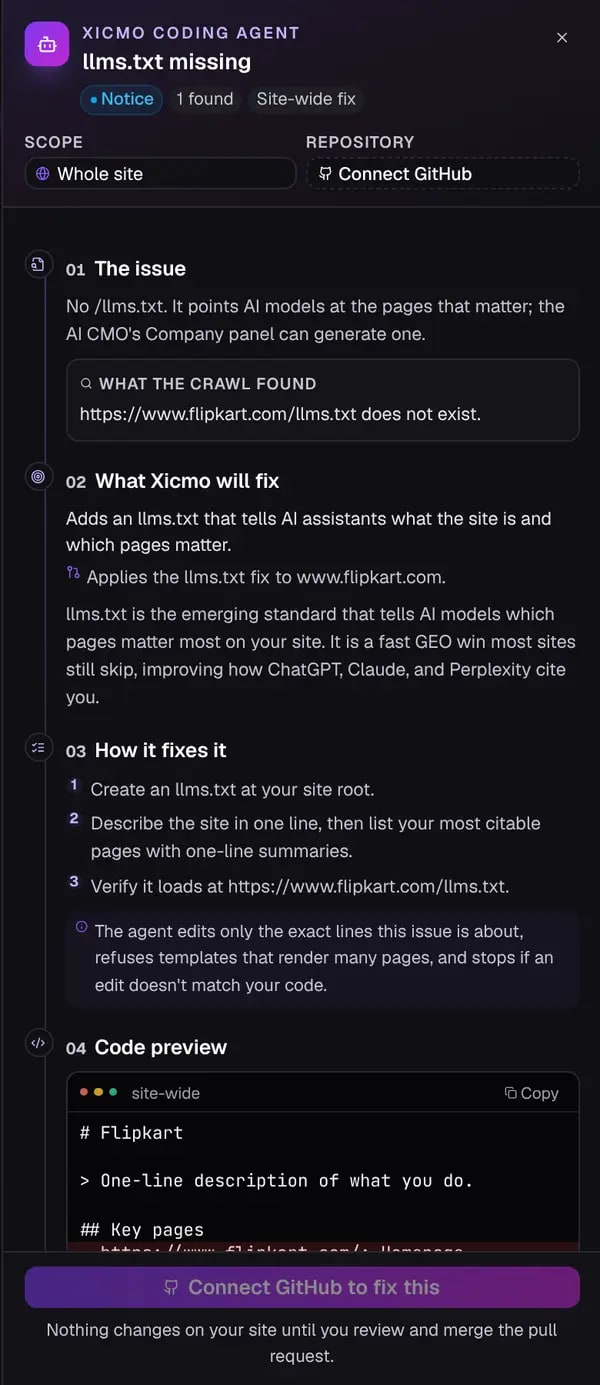
Findings become action items, and many come with a Fix button: the Coding Agent explains the issue, shows a code preview and opens a pull request on your GitHub repo, so nothing changes until you merge. The Content Writer can then publish fixes and new posts to WordPress, Webflow, Wix, Framer or Shopify on a drip schedule.
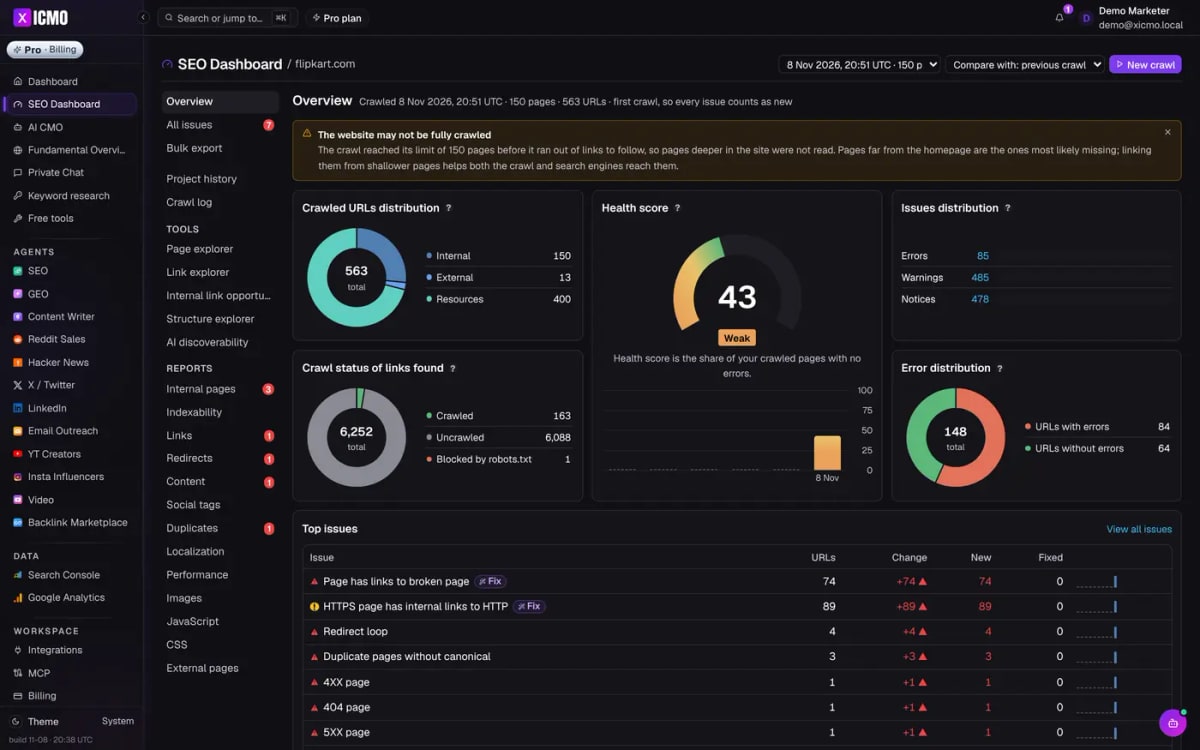
Xicmo SEO Dashboard showing a real crawl of flipkart.com: health score, issues and top problems
Source: Xicmo

Features

  • Site crawler: up to 500 pages, 83 checks, no credits
  • Daily SEO agent with keyword and content ideas
  • Search Console, GA4, URL Inspection and PageSpeed data
  • Fix → GitHub pull request with code preview
  • Drip publishing to WordPress, Webflow, Wix, Framer, Shopify
  • AI discoverability checks (AI bots in robots.txt, llms.txt)

Pros

  • Fixes ship as reviewable PRs instead of to-do lists
  • Crawler runs don't cost credits
  • SEO, GEO and content in one workspace from $49/mo
  • Approval before anything publishes

Cons

  • Crawls cap at 500 pages; enterprise sites need a desktop crawler too
  • No rank-tracking database the size of Semrush or Ahrefs
  • Fix PRs need your site's code in GitHub
  • Manual crawls limited to 3 a day
Pricing
Lite $49/mo (500 credits: SEO + GEO agents, AI CMO). Standard $159/mo unlocks every agent. Pro $199/mo. $5 day pass. 48-hour free trial with 600 credits, no card. xicmo.com/pricing (checked 2026-11-08)
Best for
Small teams that want SEO issues found and fixed without an SEO hire

What it produced

A real crawl of flipkart.com and the fix it proposed
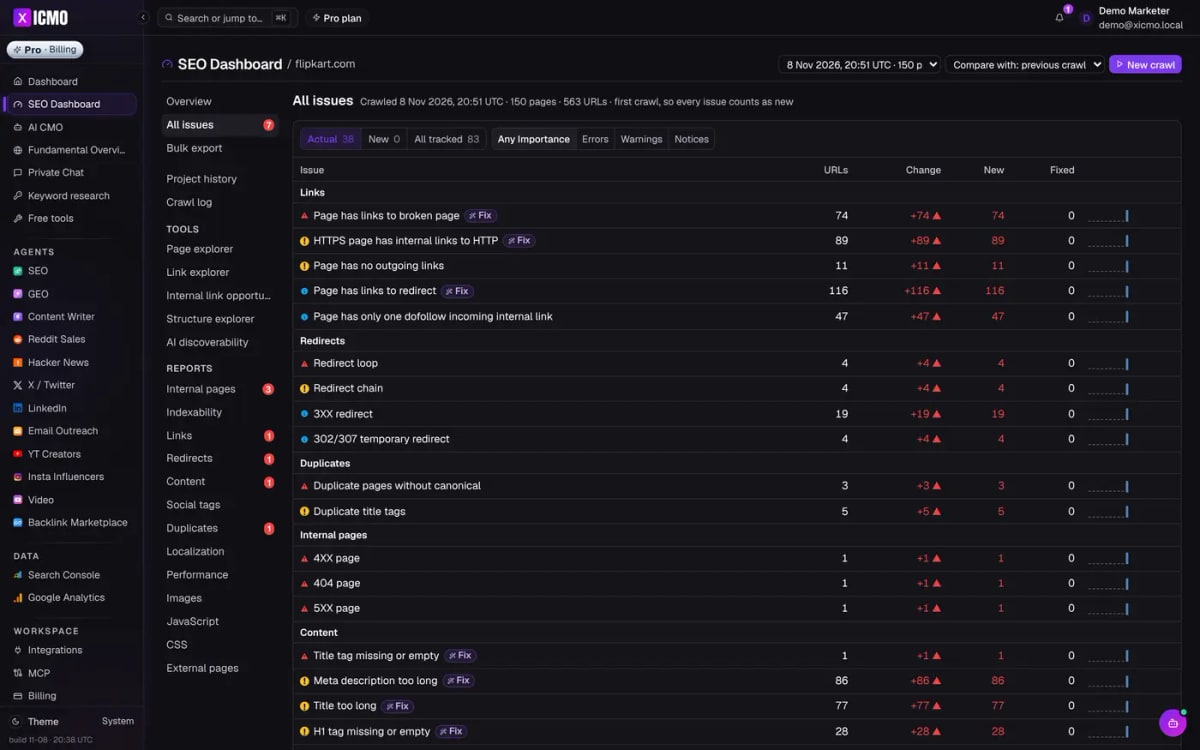
A real Xicmo crawl of flipkart.com (150 pages) from a demo workspace. External links outside the demo sandbox were not checked. Flipkart is not a Xicmo customer.
Xicmo Coding Agent fix panel for a missing llms.txt on flipkart.com, with code preview
The Coding Agent's fix plan for flipkart.com's missing llms.txt. Nothing changes until you merge the pull request.

The best value if you want automation that ends in a merged fix.
Okara logo

2. Okara

AI CMO with an SEO agent and a coding agent.

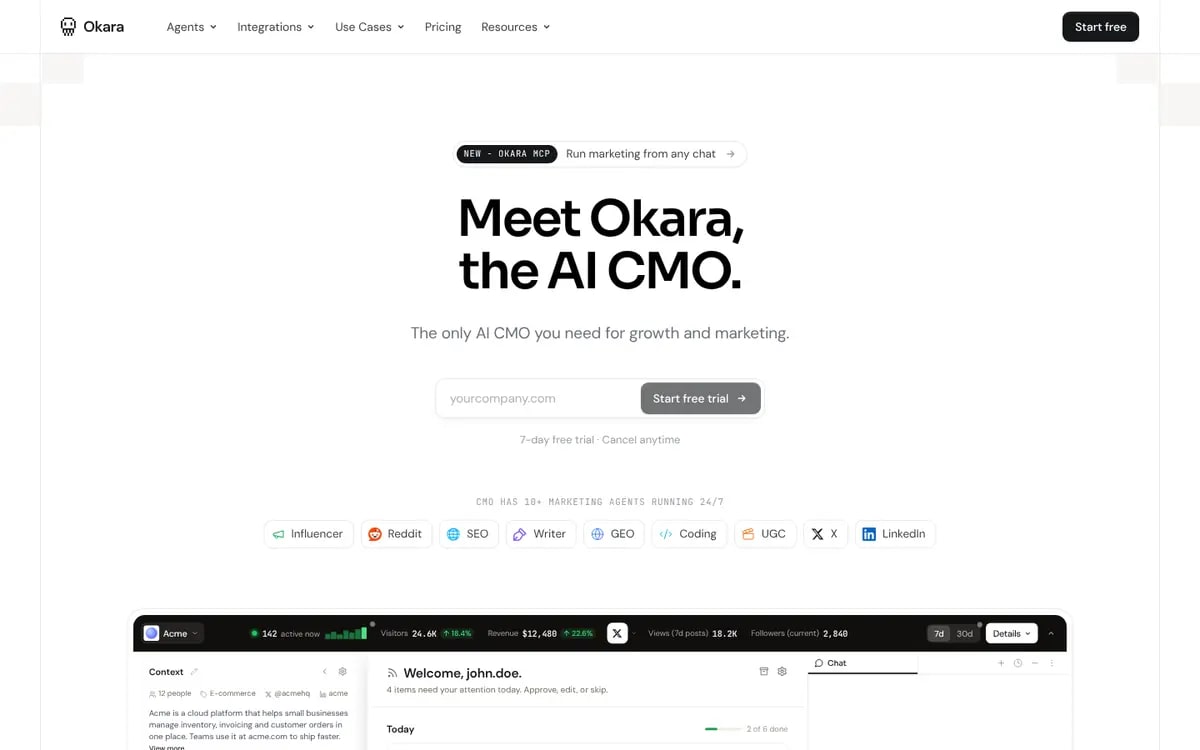
Okara's SEO agent produces SEO recommendations, technical SEO opportunities and content opportunities, and its Coding agent ships SEO and GEO fixes as reviewable GitHub pull requests. Search Console and GA4 connect on every plan.

Okara homepage: Meet Okara, the AI CMO
Source: Okara

Features

  • SEO recommendations
  • Technical SEO opportunities
  • Coding agent PRs
  • GSC + GA4

Pros

  • Code-level fixes
  • Wide CMS publishing on Pro
  • Strategy docs

Cons

  • $129/mo entry
  • Content writer needs $249/mo Pro
  • No published crawl depth
Pricing
AI CMO Lite $129/mo ($108/mo billed annually), AI CMO Pro $249/mo ($208/mo annually), Enterprise custom. 7-day free trial. okara.ai/pricing (checked 2026-11-08)
Best for
AI CMO buyers who want SEO fixes as code

Closest like-for-like alternative.

Search Atlas logo

3. Search Atlas

OTTO SEO applies fixes on your site automatically.

Search Atlas's OTTO SEO deploys technical and on-page changes to your site through a pixel, and Atlas Agent runs AI visibility, SEO, content and site health tasks. Plans run on Universal Credits.

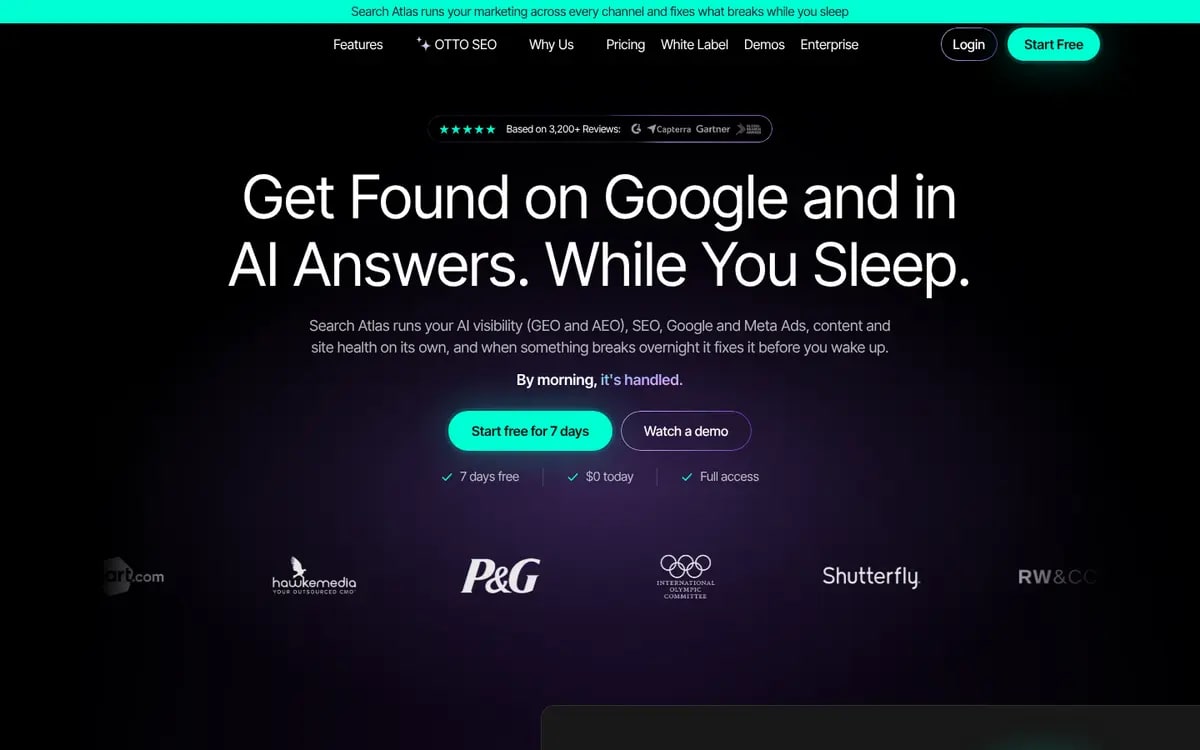
Search Atlas homepage: Get found on Google and in AI answers
Source: Search Atlas

Features

  • OTTO SEO auto-deployment
  • Atlas Agent
  • Site audit (50k+ pages)
  • Rank tracking (2k+ keywords)
  • AI visibility

Pros

  • Changes go live without a developer
  • Large audit and tracking limits
  • 7-day trial

Cons

  • Edits via script layer rather than your source code
  • Credit system to learn
  • Busy interface
Pricing
Starter $99/mo (1 site with OTTO, 2k keywords, 50k audit pages), Growth $199/mo, Pro $399/mo, Agency from $999/mo. 7-day trial. searchatlas.com/pricing (checked 2026-11-08)
Best for
Teams that want fixes deployed with no developer involvement

Most aggressive automation in this list.

Alli AI logo

4. Alli AI

Bulk on-page SEO changes deployed across many sites.

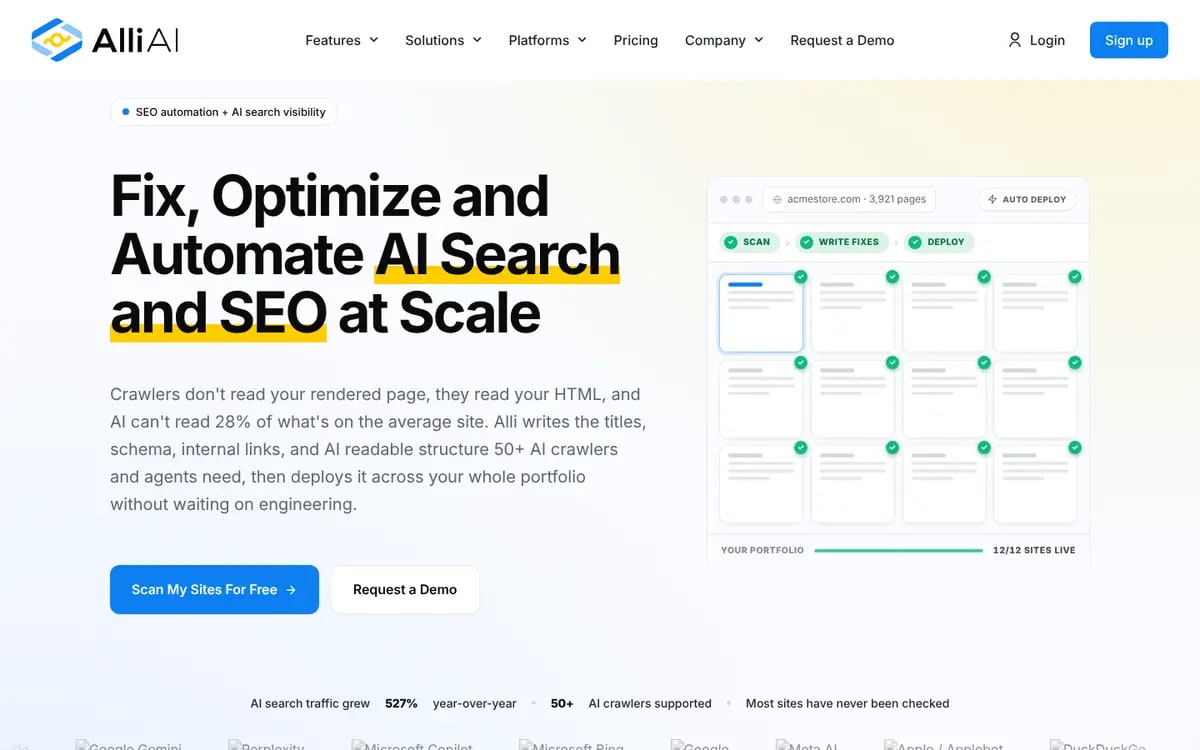
Alli AI rewrites titles, schema and internal links in bulk and deploys the changes across a portfolio of sites, with a focus on what AI crawlers read in raw HTML.

Alli AI homepage: Fix, optimize and automate AI search and SEO at scale
Source: Alli AI

Features

  • Bulk on-page optimisation
  • Schema and internal links
  • Deploys across many sites
  • AI crawler readability

Pros

  • Portfolio scale
  • Instant deployment
  • Strong for agencies

Cons

  • Pricing not verifiable on its site; listings report $299/mo+
  • Script-layer changes
  • Less content help
Pricing
Not listed in a form we could verify. Third-party listings report Business $299/mo and Agency $599/mo, Enterprise custom.
Best for
Agencies managing many sites

Best for bulk on-page changes at scale.

Semrush logo

5. Semrush

The SEO suite with automated reporting and audits.

Semrush automates rank tracking, site audits and reports across a huge keyword database, and now bundles AI search visibility from the $199/mo Starter plan.

Semrush homepage

Features

  • Position Tracking
  • Site Audit
  • Automated reports
  • AI visibility

Pros

  • Largest data set
  • Mature reporting
  • Free plan

Cons

  • Automation means alerts, not fixes
  • $139/mo+
  • Steep learning curve
Pricing
Free plan; SEO $139/mo; Starter (SEO + AI Search) $199/mo with 50 tracked prompts; Pro+ $299/mo with 100 prompts; Advanced custom. Up to 17% off annually. semrush.com/prices (checked 2026-11-08)
Best for
SEO specialists who need data depth

Best data; you still do the fixing.

Ahrefs Brand Radar logo

6. Ahrefs Brand Radar

Backlinks, keywords and always-on site audits.

Ahrefs schedules site audits, tracks keywords and monitors backlinks, with add-ons for always-on audits and IndexNow auto-submit (Project Boost).

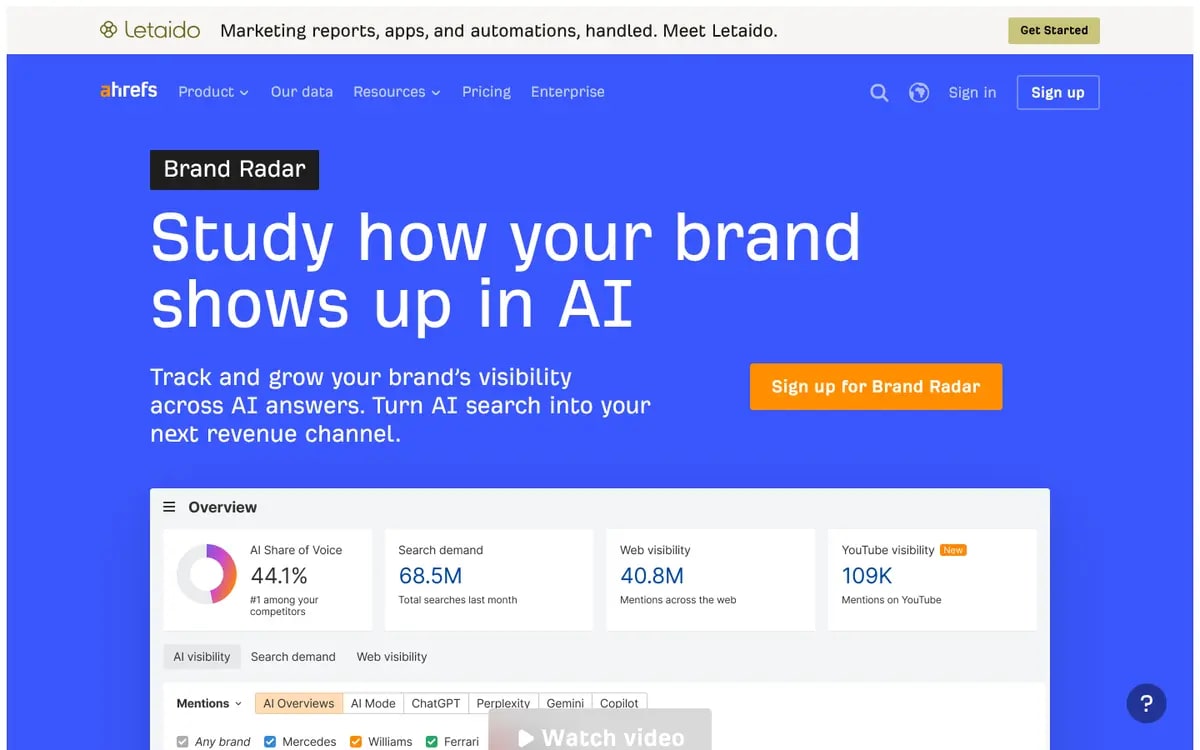
Ahrefs Brand Radar page: Study how your brand shows up in AI
Source: Ahrefs Brand Radar

Features

  • Site Audit
  • Rank Tracker
  • Backlink monitoring
  • IndexNow auto-submit (add-on)

Pros

  • Best-in-class backlink data
  • Clean UI
  • Brand Radar for AI

Cons

  • $129/mo+, more for add-ons
  • Fixes are manual
  • Credit and seat limits
Pricing
Ahrefs Lite $129/mo, Standard $249/mo, Advanced $449/mo (5/10/20 tracked AI prompts included). Brand Radar AI Visibility Index from $199/mo; custom prompt packages from $50/mo; $699/mo for all AI platforms. ahrefs.com/pricing (checked 2026-11-08)
Best for
Link-focused SEO teams

Great data, manual action.

SE Ranking logo

7. SE Ranking

Affordable all-round SEO platform with AI tracking.

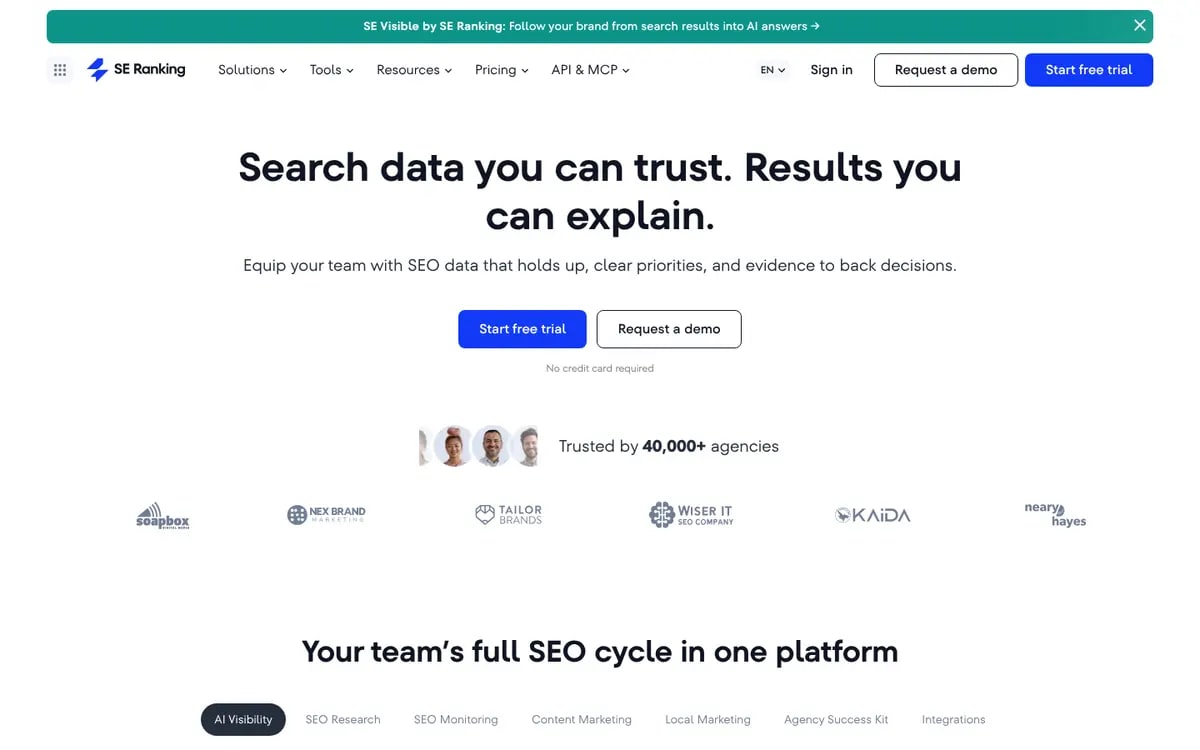
SE Ranking bundles rank tracking, audits of up to 250k pages a month, research, reporting and 25 AI prompts on Core ($129/mo), with API and MCP access.

SE Ranking homepage
Source: SE Ranking

Features

  • Rank tracking
  • Website audit
  • AI visibility (25 prompts)
  • API + MCP

Pros

  • Good value
  • 14-day trial
  • Agency add-ons

Cons

  • Alerts, not fixes
  • AI tracking limited on Core
  • Annual billing for the best price
Pricing
Core $129/mo ($103.20/mo annually): 10 projects, 2k tracked keywords, 250k audited pages a month, 25 AI prompts. Growth $279/mo ($223.20 annually). 14-day free trial. seranking.com pricing (checked 2026-11-08)
Best for
Budget-conscious SEO teams and agencies

Best-value classic SEO suite.

Screaming Frog logo

8. Screaming Frog

The desktop crawler technical SEOs swear by.

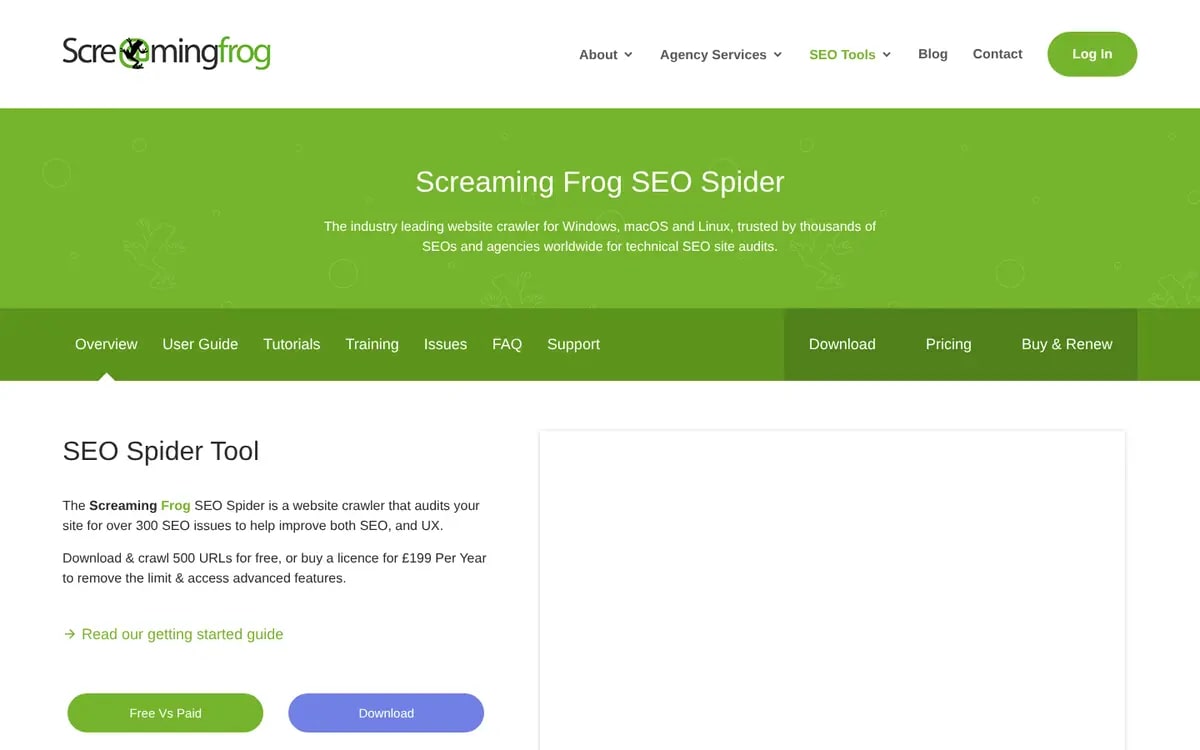
Screaming Frog's SEO Spider crawls sites on your machine with deep configuration, JavaScript rendering, scheduling and integrations. It's free for 500 URLs.

Screaming Frog SEO Spider page
Source: Screaming Frog

Features

  • Desktop crawling
  • JavaScript rendering
  • Scheduling
  • Custom extraction

Pros

  • Unmatched depth
  • Free tier
  • €245/year

Cons

  • Runs on your computer
  • Steep learning curve
  • Finds issues, doesn't fix them
Pricing
Free up to 500 URLs per crawl. Paid licence €245 per year (1 to 4 licences), unlimited crawling. screamingfrog.co.uk pricing (checked 2026-11-08)
Best for
Technical SEOs auditing large sites

The power tool for audits.

Surfer logo

9. Surfer

Content optimisation and AI writing for SEO.

Surfer automates on-page content optimisation: content briefs, scoring against top results and AI article drafts. It's content-side automation rather than technical SEO.

Surfer homepage

Features

  • Content Editor
  • AI articles
  • Content audit
  • AI tracker

Pros

  • Strong content scoring
  • Good for writers
  • Integrations

Cons

  • Pricing not verified on its site here
  • No technical crawling
  • Scores can encourage keyword stuffing
Pricing
Not verified on Surfer's site for this guide. Third-party listings report Essential $99/mo ($79 annually) and Scale $219/mo.
Best for
Content teams optimising articles

Best for content optimisation.

Google Search Console logo

10. Google Search Console

Google's own free data.

Search Console shows what Google actually indexes, the queries you appear for and your Core Web Vitals. Every tool above is better with it connected.

Google Search Console homepage

Features

  • Performance report
  • Index coverage
  • URL Inspection
  • Core Web Vitals

Pros

  • Free
  • First-party Google data
  • Email alerts

Cons

  • No automation or fixes
  • 16 months of data
  • No competitor data
Pricing
Free.
Best for
Everyone, as a baseline

Free and essential, but not automation.

Why does SEO automation so often fail?

Alerts pile up and nobody fixes them

Weekly audit emails list hundreds of issues. Without a path to a fix, teams learn to ignore them. The useful question isn't how many issues a tool finds, but how many it helps you close.

Script-layer fixes hide the real problem

Tools that patch pages through JavaScript can make changes fast, but the fix lives outside your codebase. If the script fails to load, or a crawler doesn't run JavaScript, the change isn't there. Fixes in source code are slower but permanent.

Automated content gets thin fast

Publishing 50 AI posts a month is easy. Publishing 50 that answer real questions with real facts isn't. Automate drafting, keep a human approval step.

Must-have features in SEO automation software

1. Scheduled crawls with change tracking

  • New, fixed and recurring issues per crawl
  • Alerts on regressions

2. A fix path for every issue

  • Code changes, CMS edits or tickets
  • Plain explanations of why it matters

Which SEO automation tool fits your team?

FeatureXicmo logoXicmoOkara logoOkaraSearch Atlas logoSearch AtlasAlli AI logoAlli AISemrush logoSemrushAhrefs Brand Radar logoAhrefs Brand RadarSE Ranking logoSE RankingScreaming Frog logoScreaming FrogSurfer logoSurferGoogle Search Console logoGoogle Search Console
Founder, no SEO hireStrongStrongPartialLimitedLimitedLimitedPartialNot supportedPartialPartial
In-house SEO teamPartialPartialStrongPartialStrongStrongStrongStrongStrongStrong
Agency with many sitesPartialPartialStrongStrongStrongStrongStrongStrongPartialPartial

Scroll the table sideways to see every tool →

3. First-party Google data

  • Search Console queries and index coverage
  • GA4 traffic

4. AI-search readiness checks

  • AI crawlers in robots.txt
  • llms.txt and structured data

5. Human approval before publishing

  • Drafts queue for review
  • Clear audit trail

Questions to ask SEO automation vendors [checklist]

  1. 1What exactly is automated: detection, fixing, or publishing?
  2. 2Do fixes change my source code, my CMS, or a script layer?
  3. 3Can I review every change before it goes live?
  4. 4How many pages per crawl, and how often?
  5. 5Do you check AI crawler access and llms.txt?
  6. 6What happens to my fixes if I cancel?

Why Xicmo is the best SEO automation tool for small teams in 2026

Most SEO automation stops at an alert. Xicmo goes two steps further: the Coding Agent turns issues into pull requests on your own repo, and the Content Writer drafts and publishes the pages your keyword and GEO gaps call for. The changes live in your codebase and CMS, not in a script that disappears when you cancel.

Semrush and Ahrefs still have deeper data, and Screaming Frog remains the best desktop crawler for huge sites. If you want issues found, fixed and published by a small team for $49 to $199 a month, start with Xicmo.

Xicmo All issues view for a real crawl of flipkart.com, with Fix buttons
A real Xicmo crawl of flipkart.com (150 pages) from a demo workspace. External links outside the demo sandbox were not checked. Flipkart is not a Xicmo customer.

Frequently asked questions

How we put this guide together

We compared tools on three levels of automation: finding issues, fixing them and publishing content. Prices were read on vendor pricing pages on 2026-11-08; where a vendor's page didn't show prices to us, we say so and quote third-party listings as unverified. The Xicmo example is a real crawl of flipkart.com run from a demo workspace.

Sources

  1. xicmo.com/pricing (2026-11-08)
  2. okara.ai/pricing (2026-11-08)
  3. searchatlas.com/pricing (2026-11-08)
  4. semrush.com/prices (2026-11-08)
  5. ahrefs.com/pricing (2026-11-08)
  6. seranking.com pricing (2026-11-08)
  7. screamingfrog.co.uk pricing (2026-11-08)

Stay up to date with industry insights

Automate SEO all the way to the fix

Crawler, Search Console data, PR fixes and publishing. Free for 48 hours.